
DVD Shrink vs Other DVD Rippers: An Honest Comparison
Search for a way to back up your DVDs and you will find a long list of programs claiming to do the job. So how do the DVD Shrink alternatives really compare, and is there a reason DVD Shrink has stayed the favourite for so long? In this honest guide we look at the main options, what each one does well, where they fall short, and why, for most people backing up standard DVDs, the original DVD Shrink is still the tool to beat.
What to look for in DVD backup software
Before comparing tools, it helps to know what matters. Good DVD backup software should read your disc reliably, compress a large film to fit a smaller disc without wrecking the picture, remove region locks and forced sequences, and output a proper, playable DVD structure. It should be simple enough that a first timer can use it, and it should be free of bundled junk. Judge every alternative against that checklist and the differences between them become clear very quickly.
Why DVD Shrink set the standard
DVD Shrink earned its reputation because it does all of the above in one small, free package. Its standout feature is the deep analysis engine, which studies the video before compressing so it can lower the bitrate intelligently, keeping detail where the eye notices it. This adaptive approach means a DVD Shrink backup of a dual layer film squeezed onto a single disc looks noticeably better than a blunt one pass shrink from a lesser tool. It reads copy protection, strips region codes, and rebuilds a clean VIDEO_TS structure that plays in any DVD player. For standard DVDs, that combination is still hard to beat.
The common alternatives
Several other programs get mentioned whenever DVD backup comes up. Some are basic disc copiers that duplicate a disc byte for byte but cannot compress, so they fail the moment a film is larger than your blank disc. Some are heavy media suites that can do a hundred things but bury the simple task of backing up a DVD under menus and paid upgrades. Some are decoders or plug ins that only handle one part of the job and need to be paired with something else. And a great many are simply outdated clones, abandoned years ago, that no longer install cleanly on modern Windows. Each of these can copy a disc in the right circumstances, but few match the balance of quality, simplicity and price that DVD Shrink offers.
Free versus paid tools
Many DVD backup programs are paid, sometimes with a small free trial that watermarks your video or limits how many discs you can copy. DVD Shrink asks for none of that. It is free to download and use for backing up your own discs, with no watermark and no artificial limit. For anyone who just wants to protect the films they own, paying for a subscription to do the same job DVD Shrink does for nothing rarely makes sense. When a free tool produces backups this clean, the paid options have to work hard to justify themselves.
Where alternatives can make sense
To be fair, there are cases where another tool fits better. If you need to back up Blu-ray discs, the classic DVD Shrink was built for DVDs, so a dedicated Blu-ray program is the right choice. If you want to convert a DVD into a phone friendly video file rather than a disc backup, a video converter is a better match. And if you are producing a brand new DVD from your own footage, authoring software is the tool for that. DVD Shrink is focused: it backs up and shrinks existing DVDs superbly, and it does not pretend to be everything. Knowing what you actually need makes the choice simple.
Beware of fake DVD Shrink downloads
Here is the most important warning in any comparison. Because DVD Shrink is so trusted, countless websites offer clones, rebranded copies and bundles that borrow its name. These are not the real program. Some are ancient builds that fail on Windows 11, and some arrive wrapped in extra software you never asked for. The genuine article has a single home, the official site, and downloading from anywhere else is a gamble. When you weigh DVD Shrink against the alternatives, make sure the DVD Shrink you are judging is the real, official one, not a lookalike that gives the software a bad name it does not deserve.
The verdict
After all the comparisons, the conclusion is straightforward. For backing up standard DVDs you own, the original DVD Shrink remains the best all round choice: free, simple, and armed with a compression engine that still outperforms many newer tools. Other programs have their place for Blu-ray, for file conversion, or for authoring, but none quite match DVD Shrink at its core job. The one rule to remember is to get the real thing. This site is the home of the original and official DVD Shrink, the genuine software, the best maintained on the market. If you want the tool that set the standard, download DVD Shrink from the official source and see why it has stayed on top for so long.
Getting started
If you have decided DVD Shrink is right for you, there is nothing to lose by trying it. It is free, it installs in under a minute, and it runs on everything from Windows XP to Windows 11. Read what DVD Shrink is for the full background, follow our step by step tutorial to make your first backup, and reach out through our support centre if you need a hand. Once you see how clean the results are, you will understand why so many people never bothered switching to anything else.
Simplicity is a feature, not a limitation
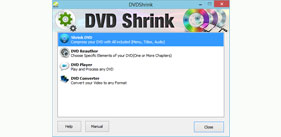
One thing that separates DVD Shrink from many alternatives is how little it asks of you. Big media suites present dozens of buttons, wizards and upsell screens, and a first time user can spend an hour just working out where to click. DVD Shrink opens to a clean window with a handful of clearly labelled buttons, and the whole process from opening a disc to saving a backup follows a single obvious path. This restraint is deliberate. The software does one job and makes that job effortless, which is precisely why people who tried the sprawling alternatives so often came back to DVD Shrink and stayed.
Reliability over the long term
Software that you trust with an entire film collection needs to be dependable, and DVD Shrink has proved itself over many years and millions of discs. Its handling of DVD-Video structure is mature and well tested, so backups play correctly in standalone players rather than failing halfway through a film. Many alternatives, especially the abandoned clones, were never maintained past their first release, which is why they now stumble on modern discs and modern versions of Windows. Choosing a tool with a long, proven track record means fewer nasty surprises when you least want them.
Output that plays anywhere
A backup is only useful if it plays, and this is an area where cheaper tools often disappoint. Some produce loose video files that only work on a computer, or discs that stutter in living room players. DVD Shrink rebuilds a proper DVD-Video structure, the full VIDEO_TS folder with its IFO, BUP and VOB files in the right places, so the result behaves exactly like a real DVD. Burn it to a blank and it plays in the same machine that played the original. That compatibility is easy to overlook until an alternative lets you down with a disc that will not run on the family television.
What real users say
Ask anyone who has backed up DVDs for years and the same story comes up again and again. They tried the flashy paid suites, wrestled with clones that would not install, and eventually settled on DVD Shrink because it simply worked. The praise is rarely about a long feature list. It is about doing the core job quickly, cleanly and for free, without watermarks, time limits or nagging upgrade prompts. That kind of quiet loyalty is the strongest recommendation any software can earn, and DVD Shrink has earned it many times over.
Making your decision
When you weigh everything together, the picture is clear. If your goal is to back up and shrink the standard DVDs you already own, DVD Shrink covers it better than almost anything, at no cost and with almost no learning curve. Reserve the alternatives for the specific jobs they suit, Blu-ray backup, file conversion or authoring new discs, and use DVD Shrink for what it was born to do. Above all, make sure the DVD Shrink you download is the genuine, official one from this site, so the software you are judging is the real thing and not a tired clone wearing its name.
The hidden cost of the wrong tool
Choosing the wrong backup program can cost you more than money. A cheap or outdated tool that lacks proper deep analysis will leave your films looking blocky, and you may not notice until you have already burned a stack of discs. A bloated media suite can waste hours of your time in confusing menus and upsell screens before you ever complete a single backup. And a clone downloaded from an untrustworthy site can saddle your computer with unwanted software that is a nuisance to remove. Weighed against all that, a free, focused, proven tool that produces clean results in minutes is not just the cheaper option, it is the one that respects your time and your collection. That is the quiet argument DVD Shrink has been winning for years.
A final word on value
When the comparisons are done and the features are weighed, value is what stays with you. A tool that is free, quick to learn, dependable over years, and capable of backups that look genuinely good is hard to argue against. Paid suites must constantly justify their price, and abandoned clones simply cannot keep up with modern discs and modern Windows. DVD Shrink asks nothing of you but a minute to install, and gives back a clean, faithful copy of the films you own. For the specific job of backing up and shrinking standard DVDs, that blend of quality and price is exactly why it remains the benchmark every alternative is measured against.
Ready to try the tool that set the standard?
If this comparison has convinced you, there is no reason to wait. DVD Shrink is free, it installs in under a minute, and it runs on every version of Windows from XP to 11. Try it on a single disc and judge the result for yourself, and you will quickly see why it has stayed the first choice for backing up DVDs for so many years. Just remember the one golden rule: download the genuine, official version from this site so you get the real software, not a clone.
Frequently Asked Questions
Is DVD Shrink better than other DVD rippers?
For simple, free DVD backup, DVD Shrink is hard to beat. It is lightweight, easy to learn and produces quality backups without cost or clutter.
What makes DVD Shrink stand out?
Its re-author mode, automatic compression and clean interface let beginners make a great backup quickly, all for free, which many paid tools cannot match.
Does DVD Shrink cost money?
No. The core DVD Shrink software is free for personal use. An activated edition adds Blu-ray and burning features for those who want them.
Can DVD Shrink handle Blu-ray?
The free version focuses on DVDs. For Blu-ray support you can use the activated edition available through the Join Now page.
Is DVD Shrink still updated?
Yes. DVD Shrink is kept current so it stays compatible with the newest versions of Windows, including Windows 11.